Add/Edit/View Plan · TripIt
One Page for Everything
A redesigned information architecture solved the noise problem for most users but created a new problem for power users.
Play with a Cursor live prototype ↗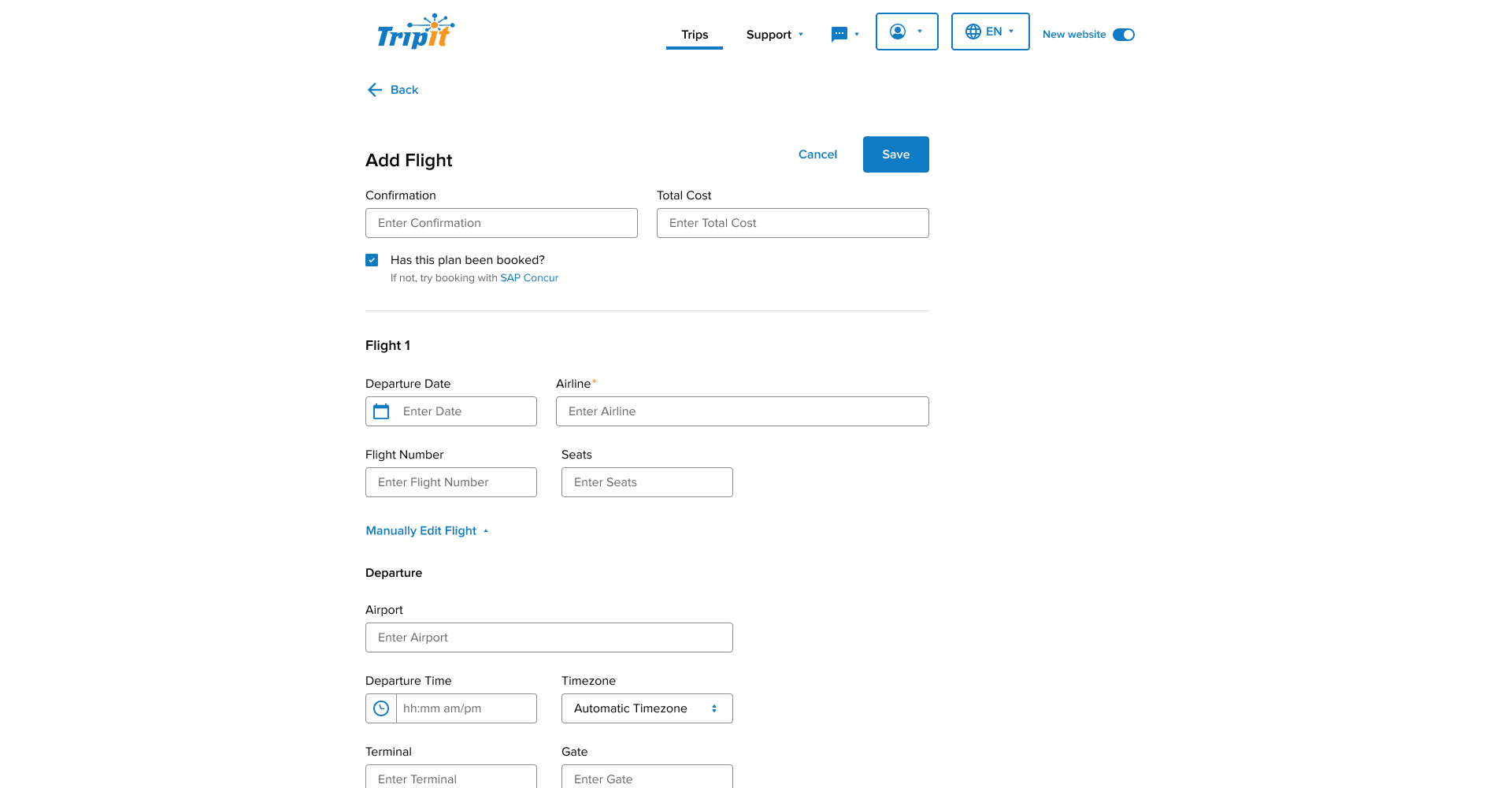
A record management and data-entry problem: one interface for creating, editing, and viewing structured travel plans across two very different user types, without making either feel like an afterthought.
The Hook
Fix it for the edge case. Improve it for everyone else.
The Situation
The redesign worked well for the majority of TripIt users. What it didn’t account for was a small subset of power users, internally called groomers, who had repurposed the product in ways it wasn’t designed for, like managing travel for an entire team out of a single account. Their needs were legitimate. The new information hierarchy just wasn’t built for them.
Problem Statement
TripIt’s web redesign introduced a more succinct information hierarchy that served casual travelers well but created significant friction for power users managing complex trips. Travelers who needed regular access to secondary plan details had no efficient path to them, and the multi-page architecture meant every navigation triggered a new backend call, compounding the performance cost of a workflow that was already too slow.
User Needs
- See the most important plan details without unnecessary navigation
- Access secondary details — cost, travelers, booking info — without leaving the current context
- Add and edit plans in a single flow without having to save first to unlock additional fields
- Trust that the information shown reflects what matters, not just what got auto-filled
All fields expanded
Default view
The Tension
The redesign’s three-level hierarchy was the right call for most users. Flattening it entirely would have brought back the noise problem it was meant to solve. The challenge was surfacing secondary details for power users without cluttering the primary experience for everyone else.
Field usage data across every plan type made the decision concrete: certain fields were populated consistently enough to deserve promotion, others rarely enough to stay buried. A clear line emerged between what belonged in primary details and what belonged in a collapsible secondary section.
The Approach
The solution was progressive disclosure applied across Add, Edit, and View, collapsing secondary detail categories by default so the majority of users never see the noise, while giving power users a single tap to expand what they need without navigating away.
The structural shift from multiple pages to a single consolidated view meant that instead of triggering separate backend calls for each navigation, the new architecture only required one. The performance improvement was unexpectedly large — a UX decision that also became an engineering win.
Add Plan got the same treatment. Previously, users had to save a new plan before accessing fields like notes, travelers, documents, and total cost. Bringing those fields into the initial creation flow meant users could capture everything in one pass.
The Outcome
Support tickets related to workflow friction dropped. Field completion rates for notes, travelers, and total cost improved as those fields moved into the primary creation flow rather than sitting behind a save gate.
The groomer use case was addressed without compromising the majority experience. Secondary details were accessible in one tap rather than two page navigations.
What This Taught Me
Solving for a small subset of power users often produces structural improvements that benefit everyone — the gains here were a byproduct of getting the architecture right for an edge case.